Featured6 min read
Void Calendar vs Notion: A calendar task is also a page of notes
Write down how to start, keep what you learn, and let AI turn your notes into scheduled work.
Read more Void Calendar · Designer’s notes
Notes on task tools, everyday friction, and why I am building Void Calendar.
Featured6 min read
Write down how to start, keep what you learn, and let AI turn your notes into scheduled work.
Read moreVoid Calendar · Designer’s notes4 min read
AI can reschedule time. I also want the steps, material, and previous records to come along.
Read more4 min read
Seeing the whole day matters. Starting work also needs the material, steps, and feedback.
Read more4 min read
See task dependencies, plan time with your AI, and hand work over through plugins.
Read more3 min read
Quick capture is useful. Larger tasks need room for instructions, material, and mistakes.
Read more3 min read
Keep capture light and execution clear. Lists, course reports, and the notes behind the work.
Read more3 min read
I like My Day’s lightness, and want large tasks to become steps that fit today.
Read more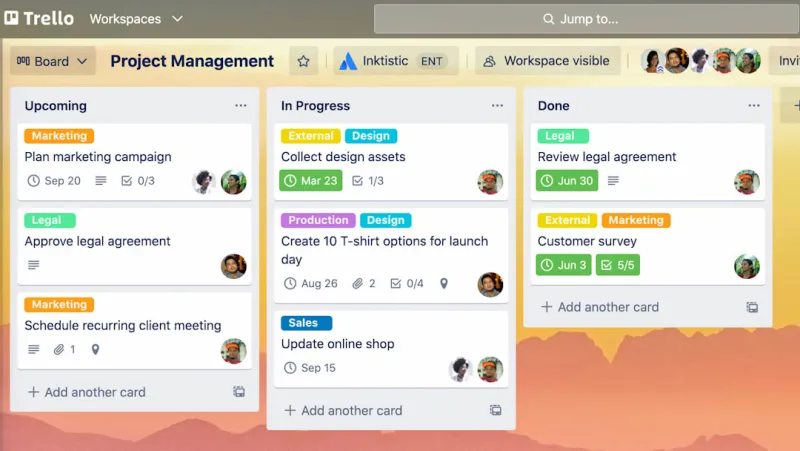
Official Trello example · Atlassian
4 min read
A board shares progress. I also want my steps, notes, and working time connected.
Read more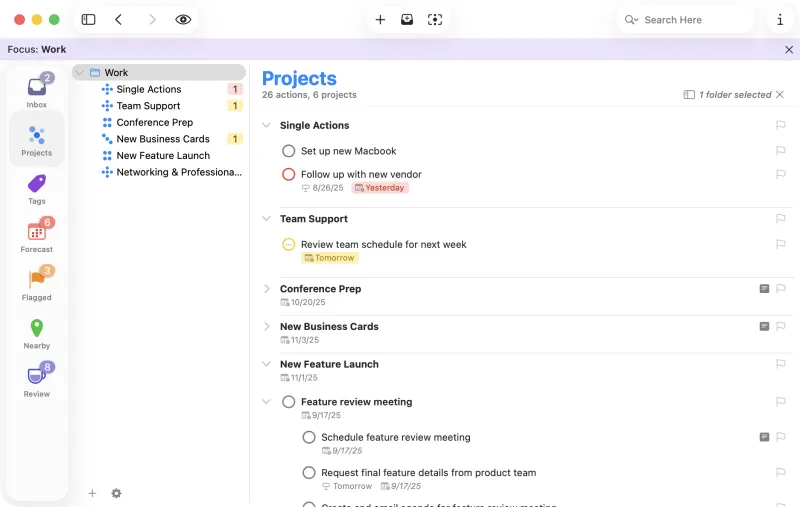
Image courtesy of the Omni Group. OmniFocus is a trademark of the Omni Group.
5 min read
OmniFocus helped with complex work, but uncommitted thoughts filled my Inbox. Void Calendar starts with Idea.
Read more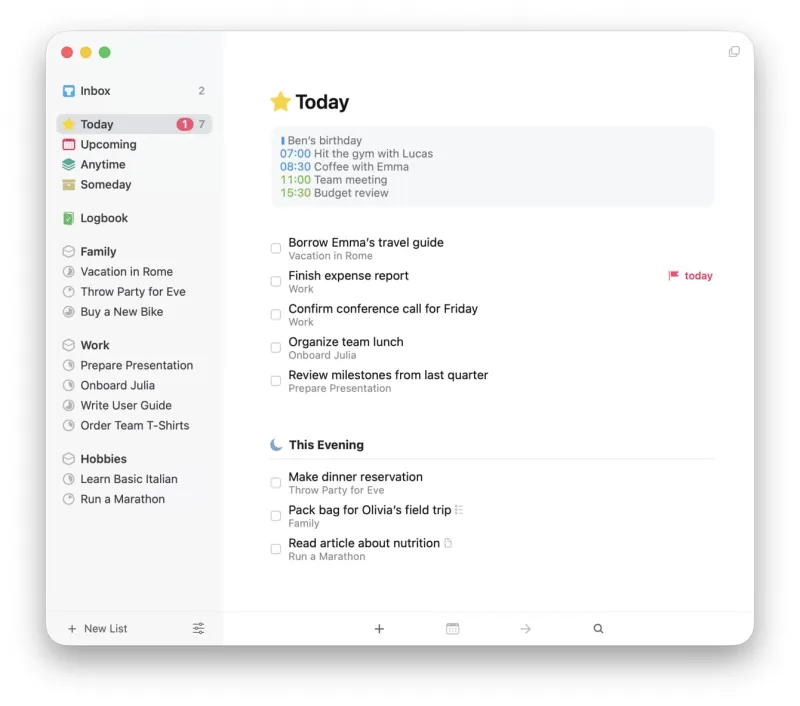
Official Things example · Cultured Code
5 min read
My lightweight tasks stay in Things 3. I also want to keep the context, lessons, and mistakes behind the work.
Read more4 min read
My experience with Org mode configuration, synchronization, mobile use, and moving to OmniFocus.
Read more4 min read
Capture tasks where the thought occurs. After a query finds them, reserve time to do them.
Read more2 min read
A time box is not another to-do. It is a free stretch of calendar reserved for one piece of work.
Read more1 min read
You do not have to leave your current calendar. Void Calendar reads Google Calendar and keeps AI time boxes separate.
Read more1 min read
When a plan is interrupted, Void Calendar does not choose for you. You can push the work back, pick a new time, or split it into shorter blocks.
Read more